Work / Rhythm game for Windows
Miko Rhythm
A four-lane arrow rhythm game for Windows, on Steam. Free demo out now. Full game launches November 19, 2026.
- Role
- Game design, development and Steam release
- Status
- Free demo out now. Full game launches November 19, 2026.
- Platform
- Windows 10 and 11, through Steam
- Stack
- Electron, three.js, Web Audio, esbuild, steamworks.js
The problem
Miko is the host of Miko Radio. Miko Rhythm takes her from the music bot to a rhythm game stage of her own.
The game had to be easy to pick up on a keyboard, hold up on Expert charts, feel right on any audio setup, and let players chart their own songs.
What I built
- 55 songs, 220 charts. Easy, Normal, Hard and Expert for every song, from 92 to 209 BPM.
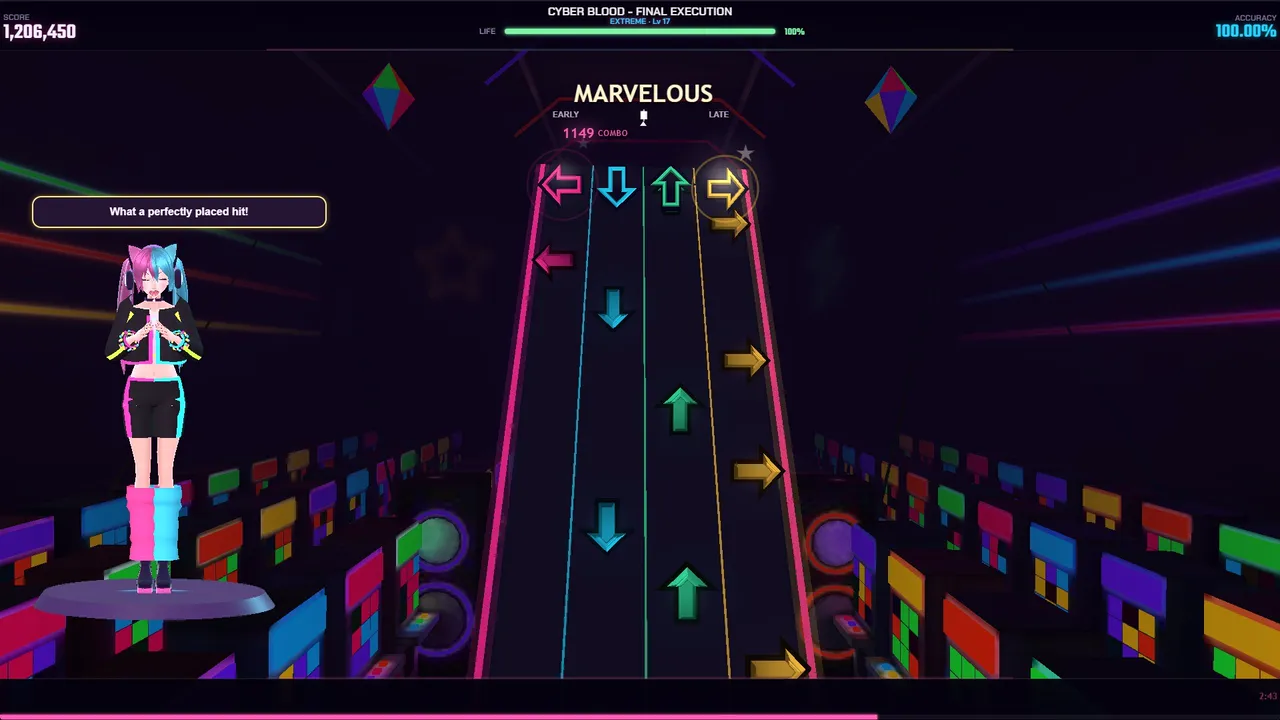
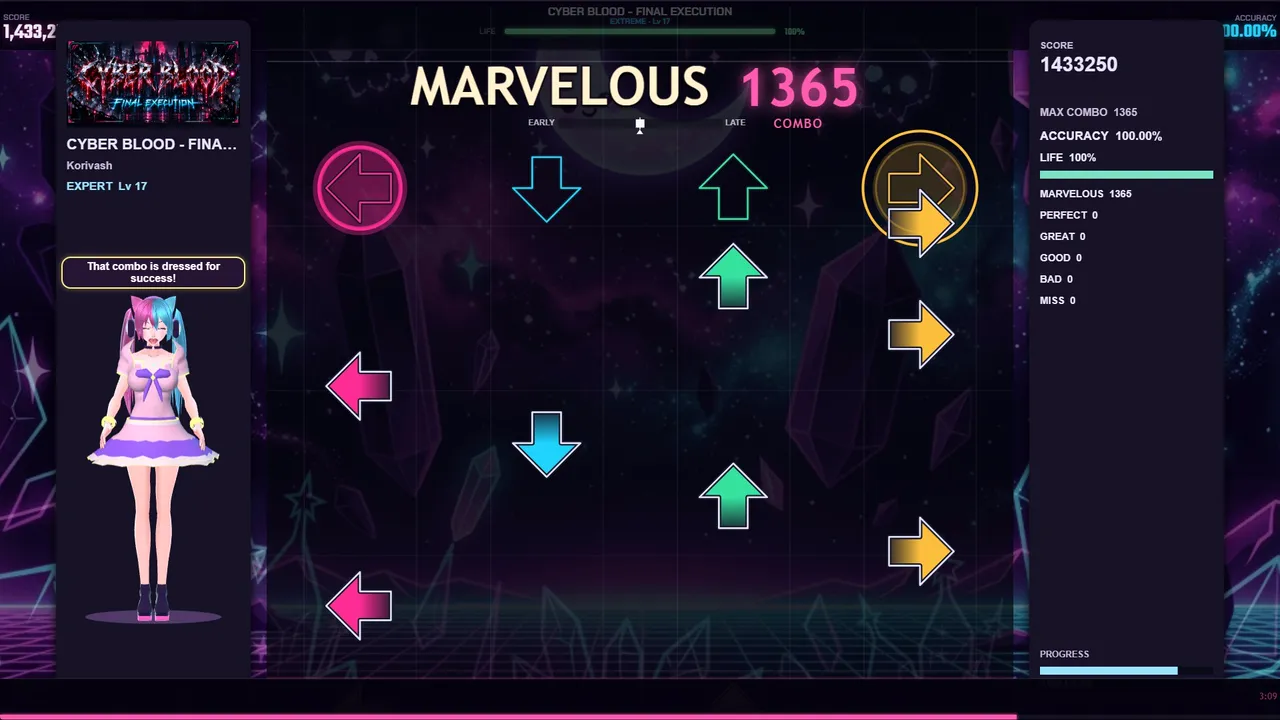
- Two views. A 3D neon highway and a flat Classic view, with lane color schemes.
- Any input. Keyboard, controller and dance pad, all rebindable.
- Timing tools. Audio calibration and Auto-Sync, plus a Practice Mode with slow-down and section looping.
- Reasons to come back. A Daily Challenge with streaks, achievements, local scores and play history.
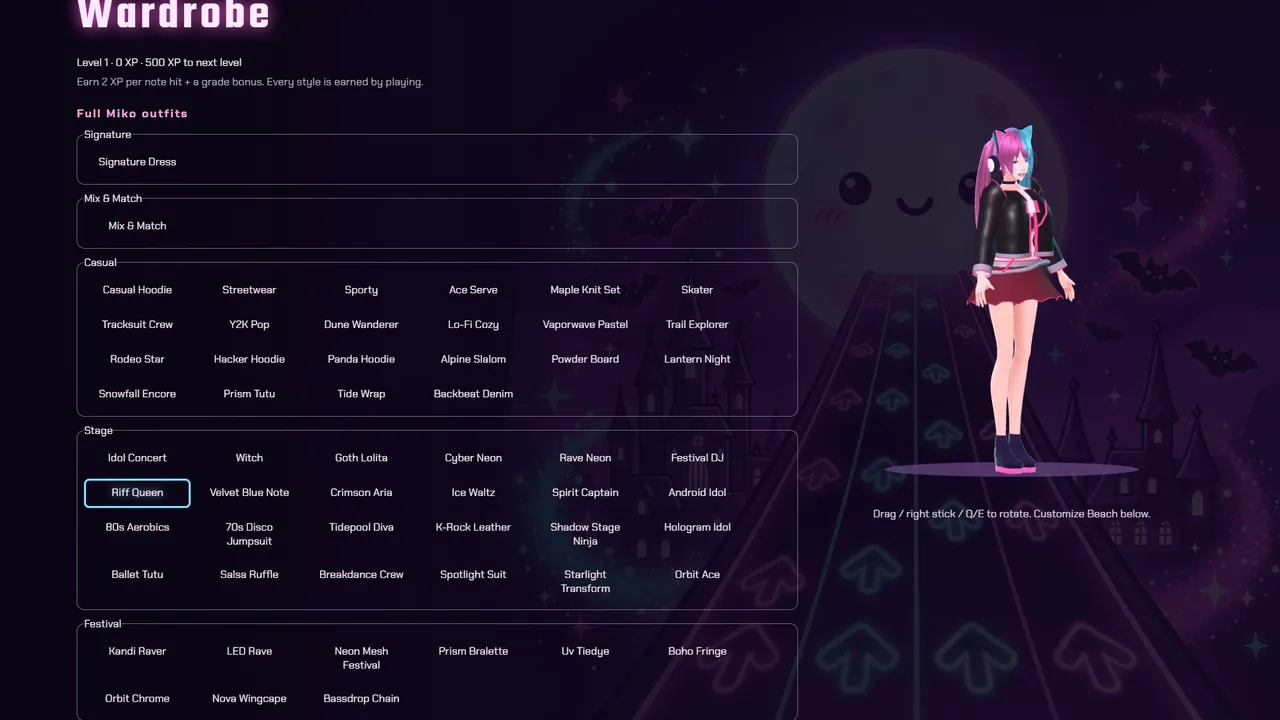
- Miko. An animated 3D host with over 90 outfits, Mix & Match tops and skirts, and recoloring.
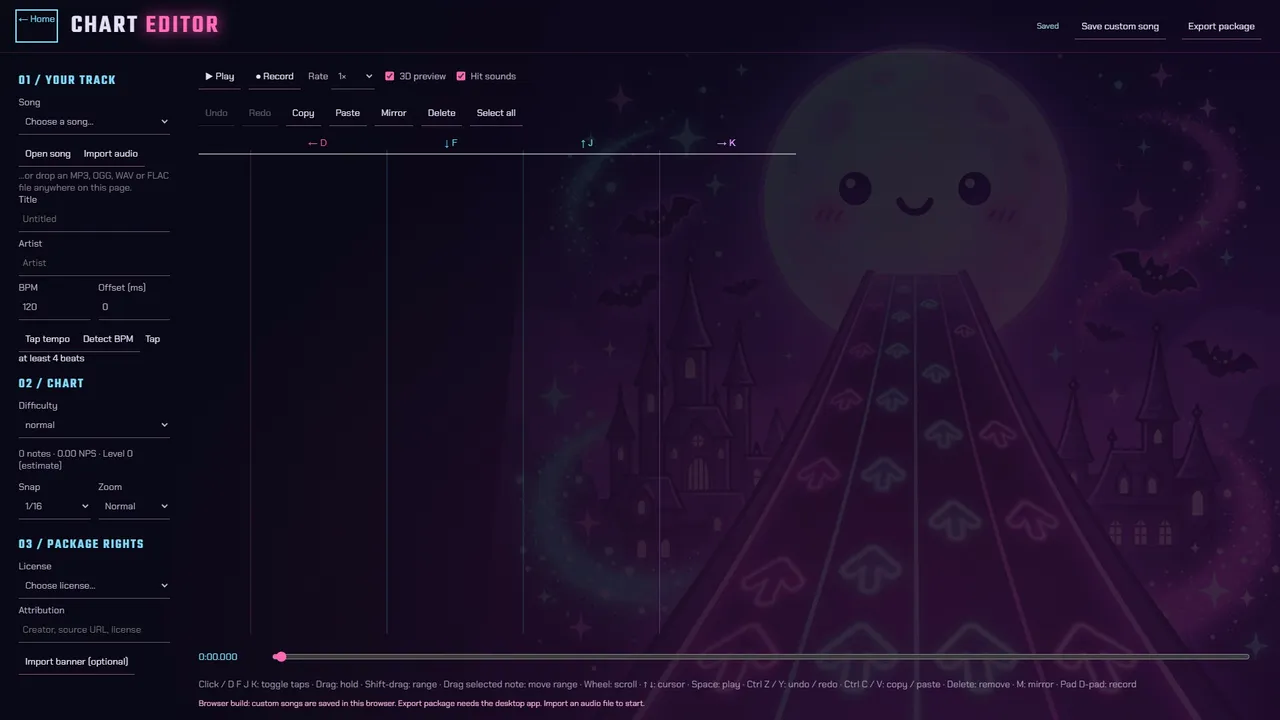
- A chart editor. Built in, with audio import and package export.
- Options. Mirror, Hidden, Sudden and speed modifiers, streamer mode and a reduced-motion setting.
How it works
A rhythm game is a clock problem. One clock decides whether a press was on time, and a second, smoother copy of it decides where the arrows are drawn.
Song
Audio and four chartsEach chart is a JSON file of notes with a lane and a time in milliseconds. A manifest lists the songsClock
Raw audio positionUsed for judgingSmoothed positionUsed only for drawing the highwayJudgement
Press time against note timeKey presses carry their own event timestamp. Six grades, from Marvelous (within 25 ms) to MissPicture
three.js highway or Classic 2DArrows are placed from the smoothed clock. Miko is a 3D model whose animations follow the song’s BPMShell
ElectronA local server inside the app serves the game to its window. Saves go to a profile file with a backup; Steam handles achievements
The demo is the same build. A catalog filter keeps only the songs listed in a config file.
Hard problems and the decisions made
The audio clock moves in steps
Problem The browser’s audio position does not advance smoothly. In testing it did not change at all on 7.5% of frames and jumped by up to 14 ms on others, which made the highway stutter.
Decision Smooth the clock for drawing only. Judge every press against the raw audio position.
Result An autoplay test measures the game’s own timing error at 0.000 ms across six runs.
A default audio offset that was wrong for most people
Problem The game first shipped with a fixed offset of minus 100 ms. Using the device’s reported output latency instead counted the delay twice and put notes 10 to 40 ms early.
Decision Default to zero and ask each player to calibrate once. Auto-Sync then moves the offset after every song by 60% of the median hit error, capped at 25 ms.
Result The offset settles on the player’s real setup over a few songs.
Which note does a press belong to?
Problem Giving a press to the nearest unjudged note handed late presses to the next note in the lane.
Decision Judge notes in order, with one exception: a press that lands right on a later note takes that note.
Seeking inside a song
Problem Without byte-range support on the local server, Chromium treats a song as a live stream and ignores every seek. Practice loops and the editor both need to seek.
Decision Add range requests to the small server inside the app.
A 3D highway that stays readable
Problem The first 3D view was washed out, colored every beat the same and blew up on high-DPI screens. It took five rounds with a rhythm-game tester.
Decision Keep four rules fixed through every round: timing never changes, the Classic 2D view stays, a WebGL failure falls back to 2D, and nothing is allocated per frame.
Result Arrows fly up as the tester asked, the pixel ratio is capped at 2 and holds are wider.
The stack, and what each part is for
- Electron
- The desktop shell. A small static server inside the app serves the game, so the same fetch and relative-path code runs unchanged.
- three.js
- Draws the 3D highway. The chart editor previews with the same renderer.
- three-vrm
- Loads Miko as a 3D VRM model, with outfits bound to her skeleton. A 2D style is the fallback on software rendering.
- Web Audio API
- Decodes waveforms for the editor and keeps time before playback starts.
- steamworks.js
- Connects to Steam for achievements. Chosen because its prebuilt addon works with Electron without a native rebuild.
- esbuild, electron-builder
- Bundle the game and produce the Windows installer.
- Tests
- More than 100 Node test files cover the game logic and check the song content before each build.
Screens
Timeline and what is next
- Jun 27, 2026First commit
- Oct 6, 2026First three.js 3D highway
- Oct 7, 2026Chart editor merged
- Oct 13, 2026Miko becomes a 3D model
- Oct 14, 2026Steam achievements hooked up
- Oct 18, 2026Free demo mode
- Oct 22, 2026Version 1.0.0 release build
- Nov 19, 2026Launch on Steam
- NextIdeas on the list for after launch: Steam Workshop for custom charts (the export format is ready for it) and song packs
Status and links
Free demo out now. Full game launches November 19, 2026.